AI video studio for Windows
From a topic to a finished video for YouTube
Motix AI writes the script, draws the frames, voices the characters, edits and publishes. You decide what to make and approve every paid step.
Windows 10 and 11, 64-bit
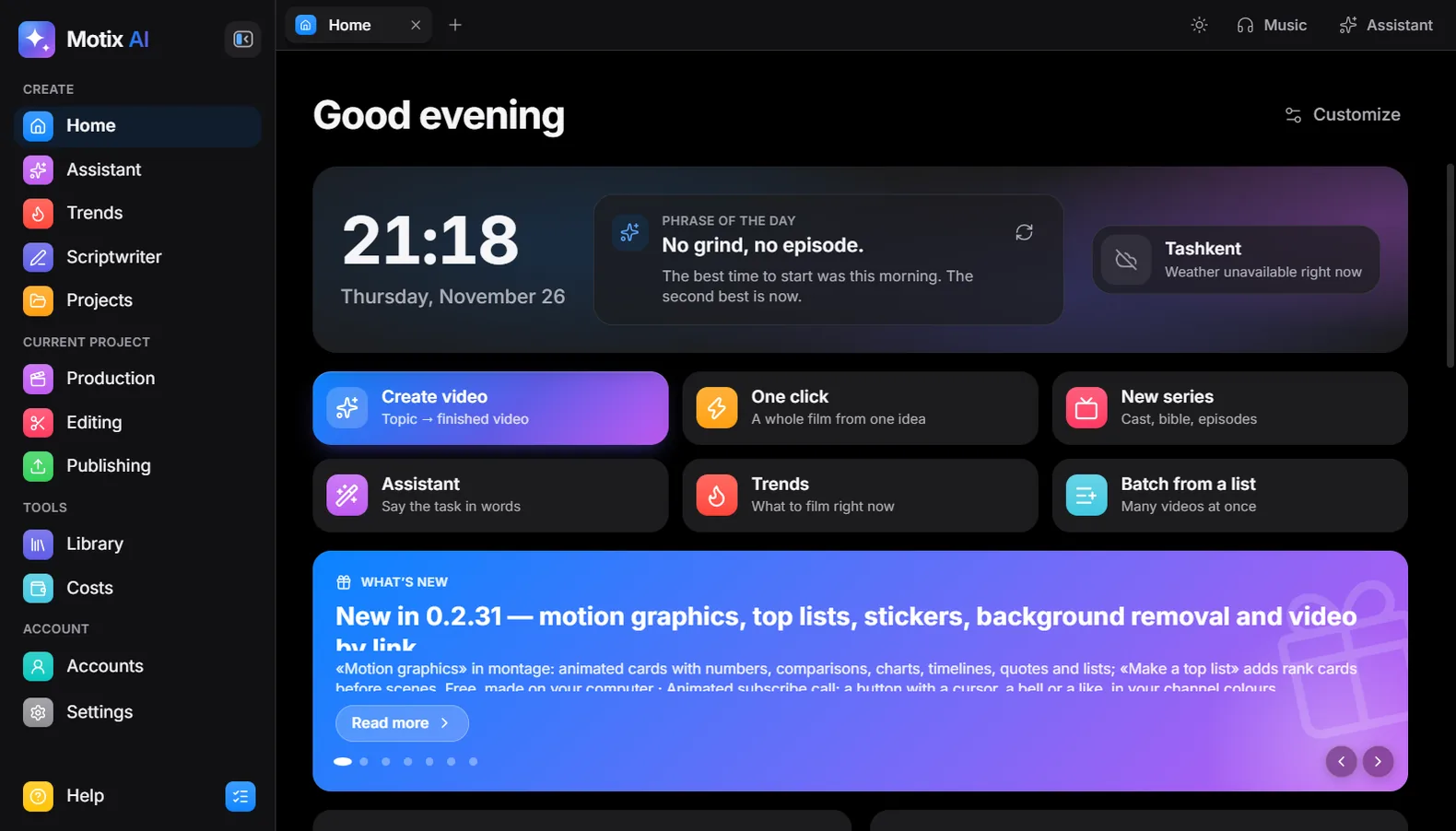
How it works
Five steps from an idea to a video on your channel. Stop at any of them and adjust by hand.
Topic
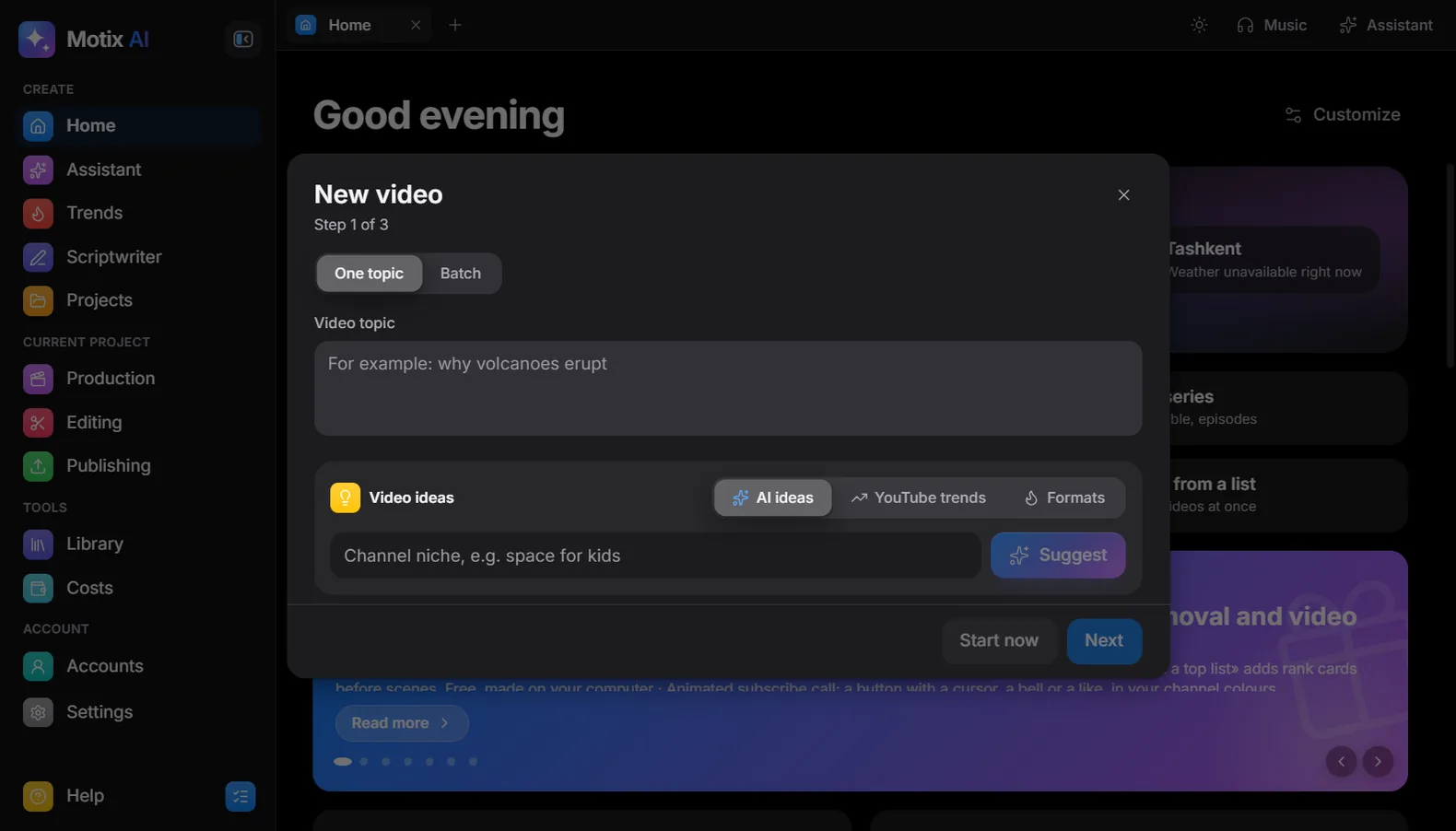
Write a topic in your own words or take an idea from Trends and the assistant’s suggestions.
Script
The AI writes a script for the genre. Or paste your own text or a JSON storyboard from ChatGPT.
Frames and voice
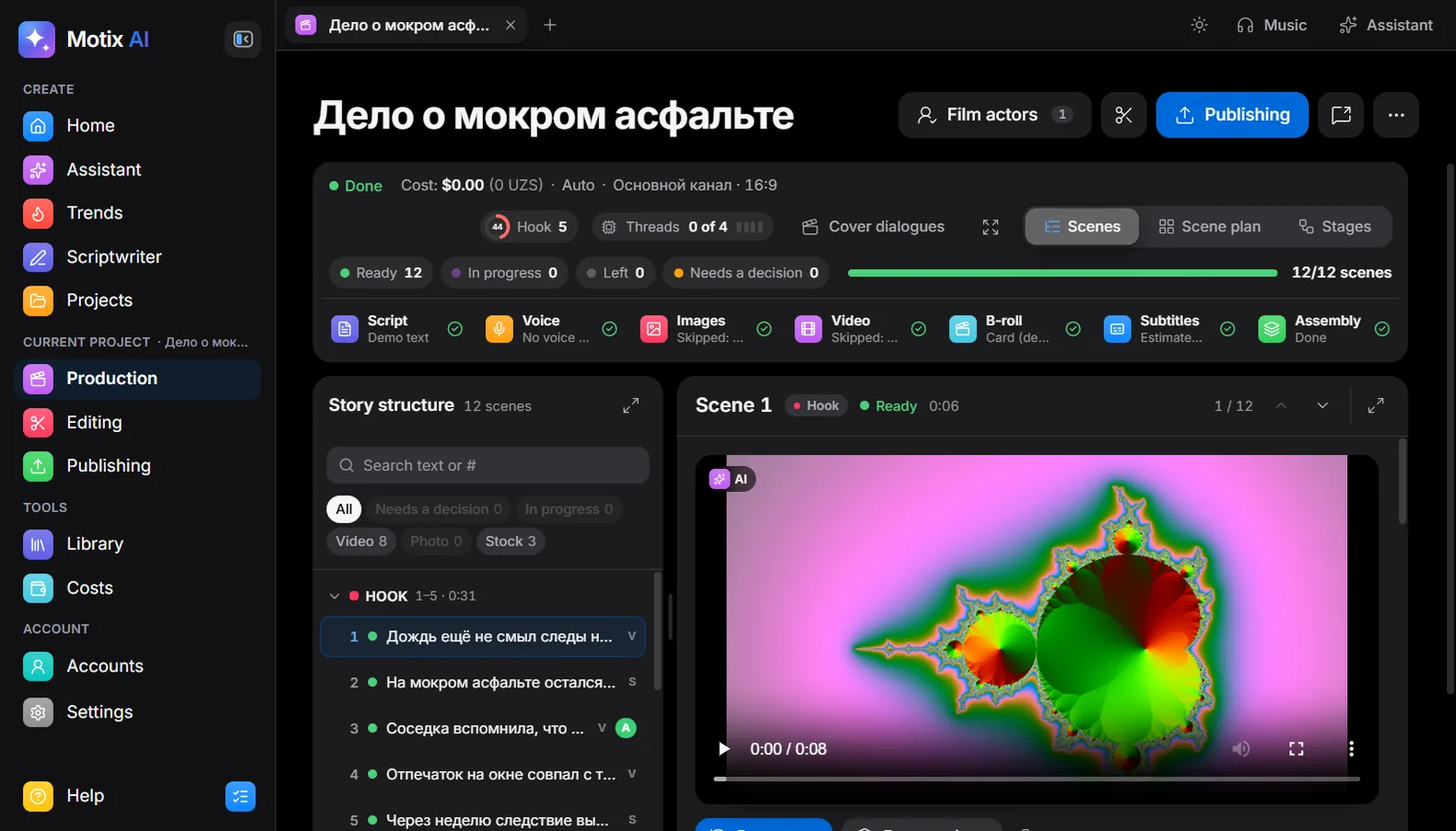
Frames, clips and voice-over, with its own voice for every character. Price and time show before anything runs.
Editing
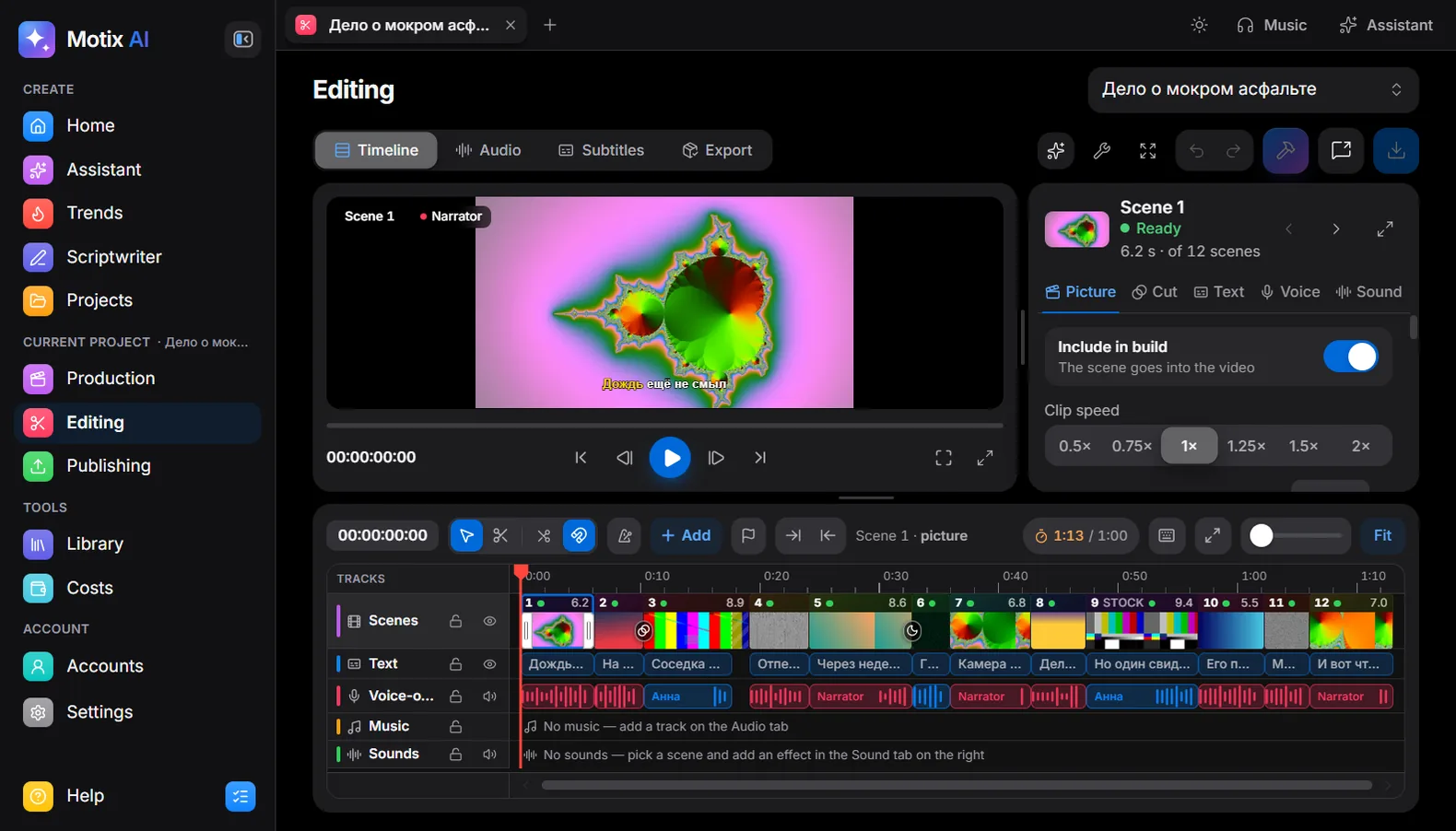
Scenes come together into a film with captions, music and transitions. Adjust on the timeline or in plain words.
Publishing
Checks before upload, scheduled YouTube publishing and Shorts from the finished video.
Everything for your channel in one app
From the first idea to analytics after publishing, without jumping between a dozen services.
One-click film
Topic → script → finished film, with the total price up front and stops for your approval. «Batch from a list» makes many videos at once.
Series with recurring characters
A series bible and «Next episode» in one click: same actors and voices, picking up last episode’s cliffhanger. Series music: one theme for every episode.
Shorts cutting
Shorts from a finished video in one click, without double captions. A 9:16 teaser for the next episode and A/B tests of titles and covers.
Translation and dubbing
Translate and re-voice your video into Uzbek, Russian or English. Translated titles and descriptions for YouTube.
Trends and outliers
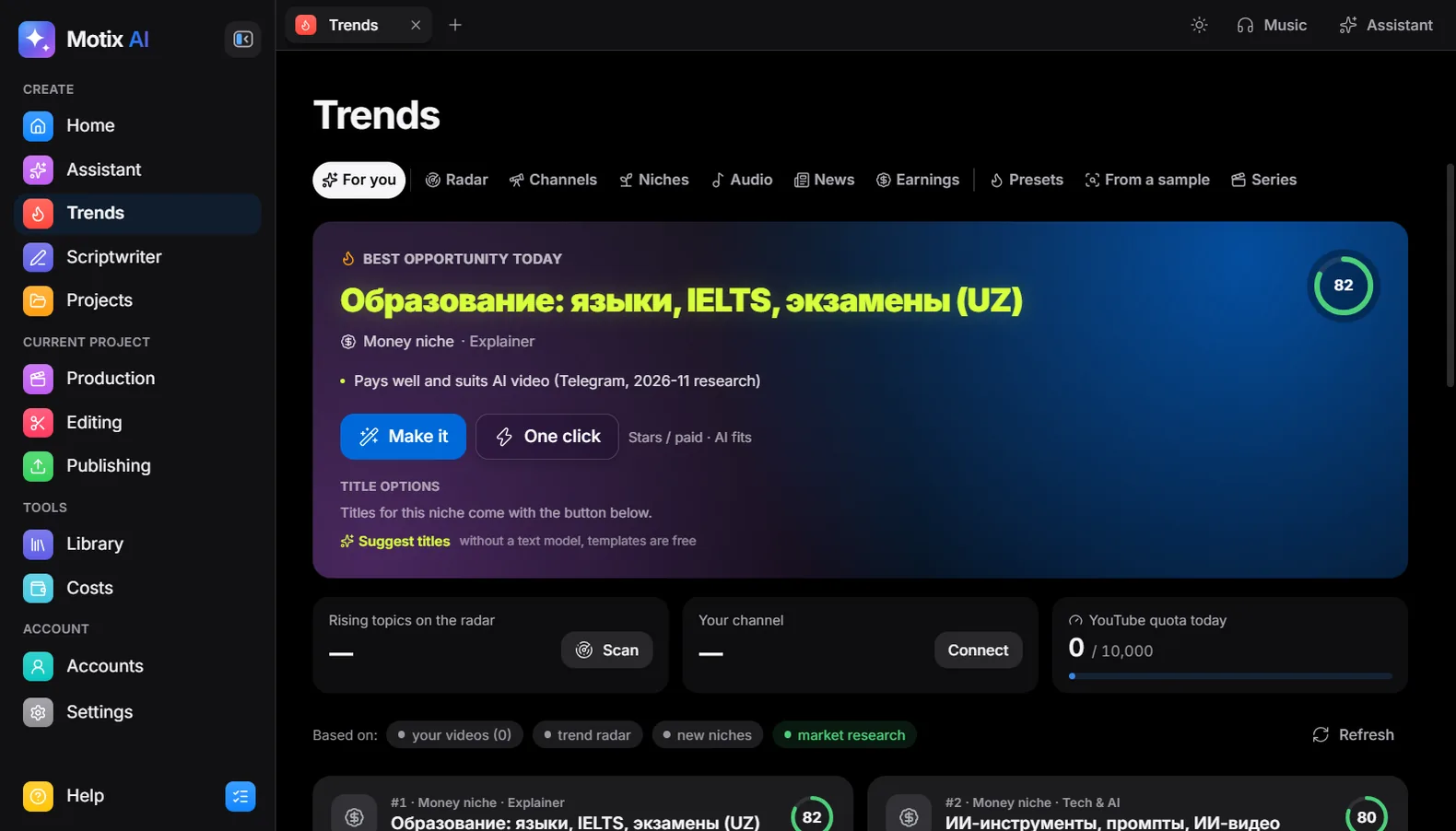
«For you», a topic radar, niches with a score and earnings per 1,000 views, videos that got far more views than usual — and why.
AI assistant
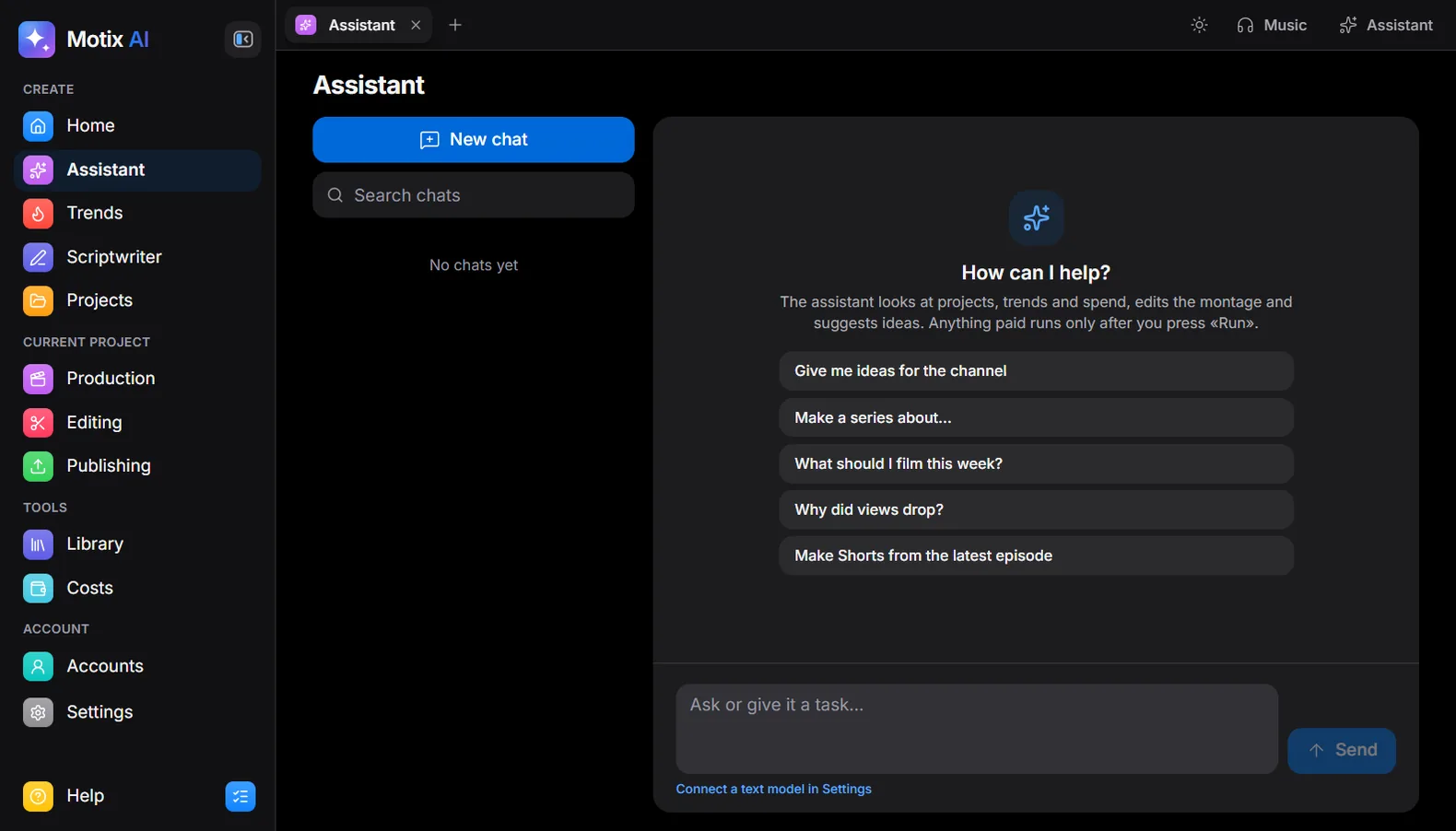
Say the task in plain words: «make an episode about…», «redo scene 3». Anything paid shows up first as a card with its price.
Scriptwriter
JSON scripts with Claude, ChatGPT or Gemini right inside Motix: validation, storyboard, characters and locations, sent to a project in one click.
Editing like a real editor
Multi-track timeline, frame-accurate cuts, cutting to the beat, transitions, a mixer and AI commands: «make it more dynamic».
Motion graphics, maps and stickers
Animated cards with numbers and charts, top lists, animated maps, emoji stickers and «Remove background» — free, on your computer.
Captions
66 ready styles and a builder: font, colours, outline, animation. Word by word, karaoke or phrases; 40 bundled fonts and .srt for YouTube.
Publishing with safety checks
Before upload: the «made with AI» label, similarity to your past videos, music rights, title and hashtags. Calendar, autopilot and the best time.
Review with a partner
«Send for review» makes one light file with the draft film. Your partner opens it in a browser, offline, and leaves notes on scenes.
Approvals from Telegram
When a job waits for payment, the bot sends the price with «Approve» and «Decline» buttons. It works only from your own chat.
Low-PC mode
Auto, on or off: fewer parallel jobs and simpler effects. Rendering runs at low priority so the computer stays responsive.
Balances and limits
«Costs» → «Balances»: what is left at each service, today’s YouTube quota and your spend limits in one place.
This is Motix AI
Real screens of the app, no mock-ups.
Your money stays under control
AI services cost money. Motix shows how much — and never spends without your decision.
Price before it runs
Every paid step shows its price on the button. The assistant never buys or publishes anything without your click.
Free draft film
First a draft from frames and voice. For every scene choose clip, photo or remove — and pay only for the clips you keep.
No double charges
If a service hangs or the connection drops, a retry continues the same job and finished clips are never bought twice.
Spend limits
The daily spend limit is never exceeded, and Home warns you when a service balance runs low.
Plans
Work with your own API keys, or take a plan with credits — then you need no keys at all.
Loading plans…
Plans are coming soon
We could not load the prices right now. Write to us and we will tell you about the plans and help you start.

Download Motix AI
The installer for Windows. Updates then arrive by themselves — a badge in the bottom left and a one-click install.
Download for WindowsIf Windows shows a warning
When you run the installer, Windows may show «Windows protected your PC» (SmartScreen). Click «More info», then «Run anyway». This is how Windows greets new apps it does not «know» yet.
System requirements
- Windows 10 or 11, 64-bit
- 8 GB of RAM or more recommended
- On 8 GB machines turn on «Low-PC mode» in Settings
- Internet for the AI services, publishing and the license check
- Free disk space for projects: the app warns you when it runs low
Frequently asked questions
Do I need my own API keys?
There are two ways. With your own keys (OpenRouter, ElevenLabs, fal.ai, Higgsfield and others) you pay the services directly at their prices — connect a key with the «Sign in to …» button right in the app. With a plan with credits, script, voice, frames and clips go through our server and you need no keys. Either way the price of a step shows before it runs.
Where are my projects and videos stored?
On your computer. The license server keeps only your account, the list of computers, orders and credit usage counters. Scripts, audio and video are not stored in its database, and your API keys stay with you too.
Does the app work offline?
The AI services and publishing need the internet. Without a connection to the license server the app keeps working for up to 72 hours. Editing, motion graphics and «Remove background» run on your computer.
On how many computers can I work?
As many as your plan says. A computer you no longer use can be signed out under «Accounts» with «Unlink».
What happens when the credits run out?
Paid jobs pause — nothing is bought beyond the limit. Credits renew every 30 days. With your own API keys you can keep working without credits.
What if I do not renew my plan?
The account moves to the free plan. Your login, computers, orders and every project on your computer stay.
How do I pay?
In the app: «Accounts» → «Plans». The available methods are listed there (for example Payme, Click, a card or a bank transfer). The plan turns on by itself after payment.
Can I get a refund?
Refund terms are in the public offer: [REFUND TERMS — fill in]Refund terms are in the “Refunds” section of the Public offer.
Which AI models does Motix use?
Text — Claude, ChatGPT and Gemini (through OpenRouter, your own keys or a subscription), voice — ElevenLabs or OpenAI, frames and clips — Kling, Seedance, Veo and other models through Higgsfield, fal.ai, BytePlus or Google. The order and backup services are set for every stage.
Contacts
Questions about plans, payment or the app — write to us.